What is Minecraft Education? Easy & Complete Guide
Introduction
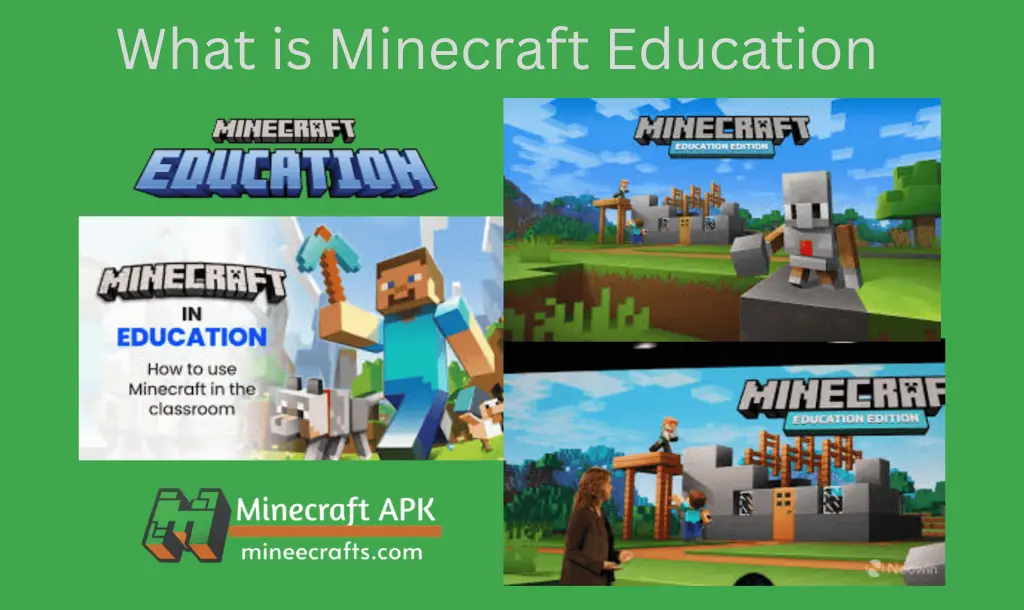
Minecraft Education is an educational version of Minecraft that was launched in 2016. It is designed specifically for schools, teachers, and students to support learning through creativity, collaboration, and problem-solving. It transforms the popular sandbox game into a classroom learning tool, with some additional features like programming, assessments, and collaboration. The primary goal of this version of the game is to teach the players in an interactive manner so that they do not require any additional guidance afterward.
Minecraft Education, unlike the original Minecraft game, includes lesson plans, classroom controls, and teacher tools, making it ideal for structured learning environments.
What is the Minecraft Education Edition?
Minecraft Education (formerly known as Minecraft: Education Edition) is developed by Microsoft and Mojang Studios. Minecraft Education Edition is more than just a game-based educational platform that allows 30 students to join the same world at once. They can collaborate on various tasks, generate more creative ideas, and solve problems together. The education edition includes a safety feature that allows students to make mistakes while learning in a safe environment.
It has the same basic gameplay mechanics as Minecraft, but it also includes features that help teachers guide lessons and track student progress. There are some key features of Minecraft education, such as
1️⃣ Classroom-Ready Worlds:
Teachers can create controlled environments in which students can collaborate safely without distractions.
2️⃣ Coding & Computer Science:
Students can learn block-based coding (MakeCode), Python & JavaScript logic, loops, and conditionals.
3️⃣ Immersive Reader & Accessibility:
It supports text-to-speech translation, dyslexia-friendly fonts, and color & UI adjustments.
4️⃣ Camera & Portfolio Tools:
Students can take in-game photos, write notes, and submit assignments digitally.
5️⃣ Non-Playable Characters (NPCs):
This feature assists students by guiding, providing instructions, and delivering content and resources.
How To Use Minecraft Education ?
To learn how to use Minecraft Education, follow the step-by-step instructions below:
Get Minecraft Education
Access to Pre-planned Lessons
Teachers have access to over 600 built-in lesson plans that are aligned with subjects such as STEM, coding, history, and more. These pre-assembled lessons are curriculum-based and easily accessible.
Collaborate in Class
The best feature of Minecraft Education is in-class collaboration, which allows up to 30 students to work on the same project at the same time. They can create, explore, and solve problems, collaborating in real-time to complete challenges.
Use of Minecraft Education Mods
Minecraft Education Edition offers personalized learning experiences through modes and add-ons, enabling teachers to design lessons based on student experiences. Teachers can also provide special tools, features, and challenges to help students learn.
Teacher Tools and Tutorials
The Education edition is designed with teachers in mind, providing simple guides and tutorials to help with the teaching process. Even without prior experience with Minecraft games, teachers can quickly learn how to manage classrooms, monitor student behavior, and create interactive lessons. The platform makes it easier for the teacher to work.
Advantages of Minecraft Education
- It encourages creativity, allowing students to create their own worlds with the help of resources and guidance from teachers.
- It improves students’ problem-solving skills through critical thinking, allowing them to make real-life decisions.
- Learning through gameplay in a secure environment makes it more enjoyable and interactive.
- It supports teamwork and collaboration.
- It prepares students for digital skills.
- It supports the teacher by providing over 600 pre-planned lessons, tutorials, and guides.
- It is accessible on a variety of devices, including Windows, macOS, and iPads.
- Teachers can use Minecraft tools to make teaching more efficient.
Disadvantages of Minecraft Education
- Challenging learning for some beginners.
- Requires a reliable internet connection on compatible devices.
- The initial setup, like classroom management, can be time-consuming.
- Subscription costs apply after the free trial period.
- You must primarily remain online, with limited offline usage.
Subjects You Can Teach with Minecraft Education
- 🧮 Mathematics
- 🧪 Science
- 🌍 Geography
- 📜 History
- 💻 Computer Science
- 🌱 Environmental Studies
- 🤝 Social & Emotional Learning
Who Should Use Minecraft Education?
Minecraft Education is ideal for:
- Teachers
- Schools & institutions
- Homeschool parents
- Students (ages 6+)
- STEM & coding programs
Ending Thoughts
Minecraft Education is an effective learning platform that combines education and creativity in a safe, structured environment. In 2025, it continues to be one of the best tools for game-based learning, helping students develop real-world skills while enjoying the Minecraft experience.