Best Minecraft Mods You Need to Know (2026 Guide)
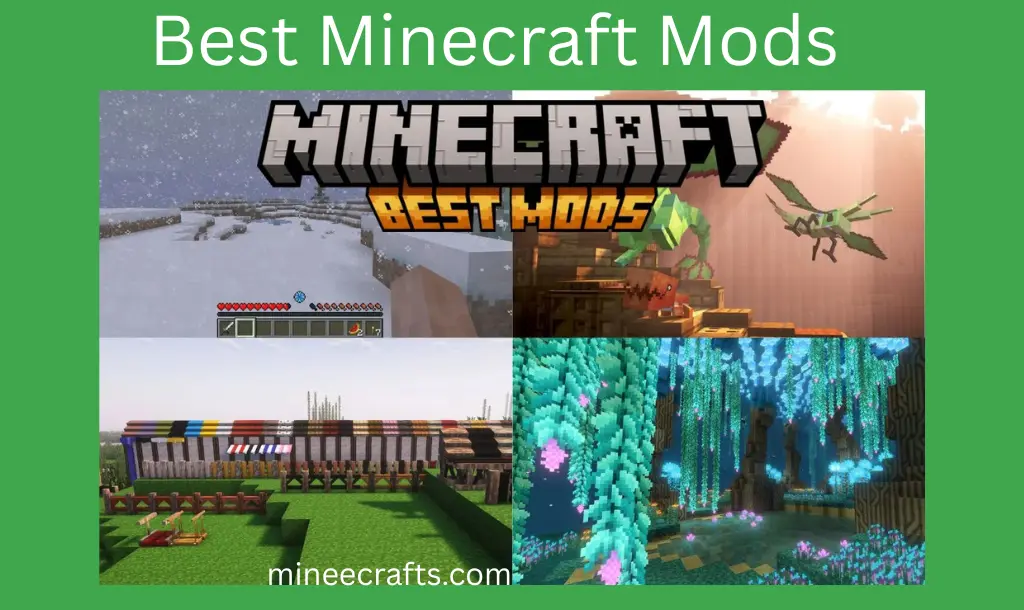
Minecraft is one of the most creative sandbox games ever, and mods (modifications) take the experience to the next level. Mods make Minecraft more exciting and personal by adding new adventures, improved visuals, better tools, and fun mechanics.
In this guide, we’ll go over the best Minecraft mods, from quality-of-life enhancements to massive gameplay changes that completely transform your world.
What Are Minecraft Mods?
Minecraft Mods are custom files created by developers or the community that modify the original Minecraft game. These mods can change gameplay mechanics, visuals, items, mobs, biomes, and much more.
Mods allow you to play Minecraft your way.
Java Edition is best for a full modding experience.
Why Use Mods in Minecraft?
Mods make Minecraft more fun, exciting, and personalized. Here’s why you should use them:
Best Minecraft Mods in 2026
Minecraft has an extensive collection of mods. These mods offer enhanced combat mechanics, new biomes, and improved graphics. We carefully selected the best Minecraft mods to enhance your adventures. The list of best mods is given below:
1. OptiFine
Best for: Better FPS, HD textures, shaders
Why it’s great: Boosts FPS, adds shader support, improves render distance, and offers customizable visual settings.
OptiFine is an essential mod for Minecraft players. It enhances game performance and enables powerful graphics features such as shaders, dynamic lighting, and HD texture support. If your game is lagging or you want to have beautiful lighting and smooth visuals, OptiFine is a must-have.
2. Biomes O’ Plenty
Best for: New biomes, exploration fun
What you get: New trees, plants, and blocks, Unique terrain features, diverse environments for exploration.
Biomes O’ Plenty adds dozens of new biomes to Minecraft, including lush forests, spooky swamps, colorful hills, and floral fields. This mod makes your world feel fresh and exciting to explore.
3. Thaumcraft
Best for: Magic lovers
What you get: Magical machines and tools, mystical creatures
Thaumcraft adds a magic system to Minecraft. You can learn about mystical aspects, make magical tools, summon golems, and discover ancient lore. This mod is ideal for those who enjoy combining fantasy, mining, and crafting.
4. Tinker’s Construct
Best for: Crafting powerful tools
What you get: Tool forge with upgrades, custom crafting parts
Tinkers’ Construct lets you craft custom tools and weapons from a variety of materials. Each material provides unique attributes, allowing you to create tools with special abilities such as increased durability or mining speed.
5. Inventory Tweaks
Best for: Quality of life
Useful features: Auto-sorting, Auto-replacement of tools, Keyboard shortcuts for quick organization
Inventory Tweaks automatically organizes your inventory and chests. Do you want your tools sorted or broken items replaced? This mod handles everything for you.
6. JourneyMap
Best for: Better navigation
Useful features: In-game minimap, Browser map sync, Waypoint markers
JourneyMap generates a live map of your world, which can be viewed in-game or in your browser. You can set waypoints, view explored areas, and avoid getting lost.
7. The Twilight Forest
Best for: Adventure fans
What you’ll find: Dungeons and castles, Unique mobs and bosses, New biomes and treasures
The Twilight Forest introduces a completely new dimension filled with new creatures, bosses, and structures. It’s ideal for players looking for a completely new realm to explore.
8. Flan’s Mod
Best for: Combat and vehicles
Useful Features: Custom weapon packs, Drivable vehicles, Multiplayer combat enhancements
Flan’s Mod adds guns, cars, tanks, planes, and other features to Minecraft. It’s a huge mod that adds modern combat and transportation to your blocky world.
9. Alex’s Mobs
Best for: More animals & creatures
Alex’s Mobs introduces dozens of realistic animals and mobs from around the world, each with its own set of behaviors and drops. Dragons, bears, deer, sharks, and other creatures make your Minecraft world come alive.
10. Brutal Bosses
Best for: challenging & competitive enemies
With brutal bosses, players can face a variety of dangerous and competitive enemies that inhabit dungeons in Minecraft worlds. The avatars of brutal bosses are similar to those of normal mobs, but they are much stronger and more competitive.
11. Sodium
Best for: Smoother gameplay, improved frame rates, and optimized graphics settings
Sodium is a mod similar to Optifine that improves the gameplay experience and allows you to customize the game. It is intended for use with fabrics and offers numerous options for customizing the appearance of your Minecraft world.
12. Aquaculture 2
Best for: Fishing experience
Fishing is a favorite activity among thousands of Minecraft players. Aquaculture 2 is a fantastic fishing mod for Minecraft that introduces over 30 new fish. Every turn, you can catch a new fish and gain new loot. Playing this mod will improve your fishing experience.
13. Iris Shaders
Best for: Modifying game graphics and visual effects
Iris shaders are a simple way to experiment with a wide variety of Minecraft shaders. You are able to switch between shader packs on the fly with a wonderful user interface that allows you to manage each shader pack setting and run them.
14. Clumps
Best for: Smoother running of the game
Clumps, unlike Optifine and Sodium, addresses a common lag issue in Minecraft, rather than boosting FPS. If your game has too many XP orbs, this mod can reduce lag and improve XP collection. If you’ve ever had frame drops due to scattered XP orbs, Clumps is the solution. It ensures your game runs smoothly.
15. Jade
Best for: Item information and entity details
Jade is essential, especially if you’re running multiple mods or texture packs. It not only recognizes the items you’re looking at but also provides additional information, such as what’s inside a container or the effects applied to a mob.
16. Nyf’s Spiders
Best for: Spider phobia
If you have a spider phobia, stay away from Nyf’s Spiders. This creepy yet creative mod allows Minecraft spiders to crawl on any surface, including walls and ceilings. It’s a horrible but imaginative mod that allows Minecraft’s spiders to connect to any surface, including walls and ceilings.
How to Download Mods for Free
Installing mods is simple if you follow the correct steps:
Conclusion
Minecraft mods allow you to customize your gameplay and make it truly your own. Whether you enjoy visual enhancements, new biomes, magic systems, or even vehicles and weapons, there’s a mod out there that’s perfect for you. Start with OptiFine, then explore new lands with Biomes O’ Plenty. When you’re ready, jump into massive adventures with the best Minecraft mods. These mods will improve your Minecraft experience and keep you engaged for hours.
FAQs-Frequently Ask Question
What are the best Minecraft mods for beginners?
For beginners, the best mods include
- OptiFine (performance & graphics)
- JourneyMap (navigation)
- Biomes O’ Plenty (exploration)
Can I use multiple mods at the same time?
Yes, multiple mods can be used together, but they must be compatible with one another and with your Minecraft version. Crashes can occur due to mod conflicts.
Are Minecraft mods free to use?
Yes, most Minecraft mods are entirely free and created by the community. Some mod packs or premium content, on the other hand, may require donations or payment for access.
How to install the OptiFine mod?
Open the Optifine installer jar file. Now, click the install button and then launch it.